
Microsoft Copilot is rolling out across Microsoft 365, and there’s a good chance it’s either already in your environment or headed there soon. For most businesses, it gets enabled quietly, bundled into a license upgrade or activated by an admin with good intentions.
Before that happens, there’s something important you should consider.
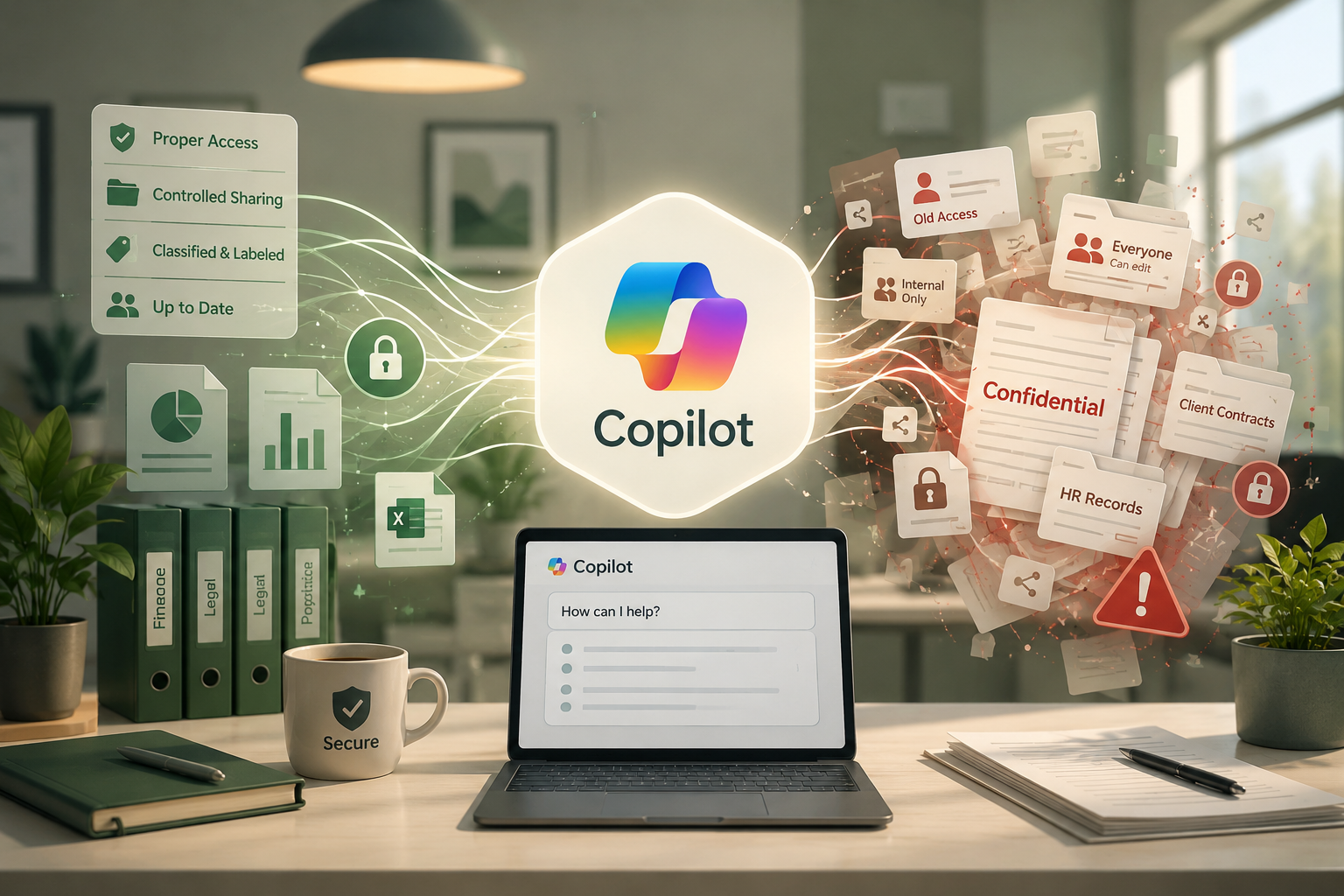
Copilot doesn’t create new access to your data. It uses the existing access. And for most small businesses, that’s exactly the problem.
What Copilot Actually Does
Microsoft Copilot is an AI assistant embedded directly into the tools your team already uses — Outlook, Teams, Word, Excel, SharePoint, and OneDrive. Ask it to summarize your week, draft a proposal, or find information from past projects, and it will search across your entire Microsoft 365 environment to pull relevant content.
That sounds useful. It is useful when your environment is clean.
The issue is what Copilot surfaces. It operates within the permissions of the logged-in user, which means if a user has access to a file, folder, or SharePoint site, Copilot can find it, read it, and include it in a response. It doesn’t distinguish between files the user actively uses and files they technically have access to but have never opened.
In a well-managed environment, that’s fine. In a typical small business M365 environment that’s been growing organically for five or ten years? It’s a significant exposure risk.
The Permissions Problem Most Businesses Don’t Know They Have
Here’s what we see in most M365 environments we audit: permissions that made sense once and were never revisited.
A contractor got access to a SharePoint folder three years ago. They’re long gone, but the access was never removed. A sensitive HR document was shared with “Everyone in the organization” because it was easier than setting individual permissions. An old project folder with confidential client data is still accessible to half the company because no one thought to lock it down after the project ended.
None of this was a crisis before. The files existed, they were technically accessible, but no one was actively searching for them.
Copilot changes that equation. It’s not passive — it actively searches and retrieves. An employee asking Copilot to “find information about our contracts” or “summarize what we know about this client” could surface documents they were never meant to see, from departments they’ve never worked in, about topics that should be restricted.
Ask yourself: If every employee in your company could type a search query and instantly surface every file they technically have permission to access — would you be comfortable with what they’d find?
For most businesses, the honest answer is no.
What “Data Readiness” Actually Means
Getting your environment ready for Copilot isn’t a technology problem — it’s a data hygiene problem. The technology works exactly as advertised. The question is whether your data is organized and permissioned in a way that makes that a feature rather than a liability.
There are four areas that matter most.
Permissions and Access Control
This is the foundation. Every SharePoint site, OneDrive folder, Teams channel, and shared mailbox in your environment should have access that reflects who actually needs it today, not who needed it at some point in the past.
That means auditing group memberships, reviewing external sharing settings, removing access for departed employees and former contractors, and replacing “Everyone” or broad organizational sharing with specific, intentional permissions.
It’s not glamorous work. It’s also not optional if you’re going to use Copilot responsibly.
Sensitivity Labels and Information Classification
Microsoft 365 includes a labeling system that lets you classify documents by sensitivity: public, internal, confidential, and highly confidential. Labels can restrict how files are shared, whether they can be downloaded, and who can access them.
Copilot respects these labels. A file marked as highly confidential with restricted access won’t be surfaced to users without clearance, even if they ask Copilot directly.
Most small businesses haven’t implemented sensitivity labels because there was no urgent reason to. Copilot creates that reason. Even a basic labeling structure, confidential vs. general use, goes a long way toward controlling what the AI can and can’t surface.
Guest and External Access
If your business uses Teams or SharePoint to collaborate with outside partners, clients, or vendors, you likely have guest accounts in your environment. Some of those guests may still have active access long after the project or relationship ended.
Copilot can be licensed and enabled for internal users while external guests remain in the environment. Before you go live, it’s worth auditing every guest account: who is it, why do they have access, and does that access still make sense?
This is also a good moment to review your external sharing policies overall. Many organizations find settings that are more permissive than anyone intended.
Overshared Files That Have Been There for Years
Every M365 environment has those files and folders that got shared broadly at some point and were never revisited. Contracts. Financial summaries. HR documents. Strategic plans.
These files aren’t a risk in a world where finding them requires knowing where to look and manually navigating SharePoint. They become a risk when an AI assistant can locate and summarize them in seconds.
A content audit before enabling Copilot, even a focused one on sensitive file types and high-risk folders, is one of the most valuable things you can do to prepare.
The Businesses That Will Regret Skipping This Step
We want to be direct: the risk here isn’t theoretical. When an employee asks Copilot to help with something routine, and it returns information they weren’t supposed to see, salary data, a confidential client conversation, a draft document from a sensitive internal discussion, the damage is immediate and real.
It can mean a compliance violation. It can mean a breakdown of trust with an employee or client. It can mean legal exposure. And it happens not because anyone did anything malicious, but because the environment wasn’t ready for a tool that actually uses the access structure it inherits.
The businesses that will have problems are the ones that enable Copilot because it came with their license, without ever asking whether their data was organized in a way that made it safe to do so.
What to Do Before You Enable Copilot
If you’re on Microsoft 365 and Copilot is available or coming, here’s the short version of what needs to happen first:
Run a permissions audit. Know who has access to what. Revoke access that’s no longer needed. Pay particular attention to broad sharing settings and inherited permissions on SharePoint.
Review guest and external accounts. Remove access for guests who no longer need it. Tighten your external sharing policies.
Implement sensitivity labels. Even a basic structure is better than none. Start with your most sensitive content categories and work outward.
Find and address overshared files. Search for documents shared with large groups or the entire organization. Evaluate whether that sharing is still appropriate.
Educate your team. Copilot will behave in ways employees don’t expect. A brief orientation to what it can and can’t access, and why that matters, goes a long way toward responsible use.
How SAF Can Help
This is exactly the kind of work we do for Denver-area businesses every day. We audit M365 environments, clean up permissions that have grown messy over time, implement sensitivity labeling, and help businesses build the governance structure they need to use tools like Copilot safely and confidently.
If your business is on Microsoft 365 and you want to understand what Copilot would see if you turned it on today, that’s a conversation worth having before you find out the hard way.
[Contact SAF to schedule an M365 readiness review →]
Syn Ack Fin (SAF) is a managed IT services provider based in Denver, Colorado. Since 2001, we’ve helped small and mid-sized businesses build the IT infrastructure and security practices they need to operate with confidence.